When it comes to CiviVolunteer, it is not exactly obvious how to use it. There is obviously "The Guide" but it doesn't really tell all the details on how to get around things, and unless you are a very experienced user who knows CiviCRM by heart with eyes, closed you might spend quite some time on figuring out where to click, what to enable and what not. There are several questions to ask yourself before you start working with CiviVolunteer: Will my event be a one time thing? Do I ...
CiviCRM
CiviCRM
Articles covering all things CiviCRM, the open-source CRM designed for nonprofits, associations, and membership organizations.
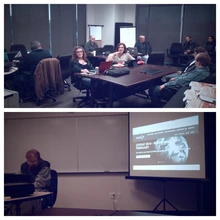
Skvare organized CiviDay in Dallas again this year. There were 12 attendees of varying backgrounds, from new users or those considering a CRM to experienced CiviCRM developers. Thanks to Improving for providing the meeting space! Mark Hanna shared a general overview of CiviCRM with the group, and Allen Shaw presented information on an extension that provides an auto-complete lookup field for Employer/Employee contact relationships. We’re looking forward to sharing more insights into CiviCRM at TexasCamp, a state-wide open source conference on April 1-2, 2016. Check out the Dallas / Fort ...
Have you ever wanted to modify a CiviCRM contribution or event registration page? Taken a look at those Smarty templates? Doesn't look pretty does it. In the article I describe how to easily add JQuery/javascript to any form you want and modify the page. First, and hardest of all, is create a basic CiviCRM extension. There is a program that will generate a basic extension that integrates with CiviCRM but doesn't yet add functionality. Create an Extension Visit the CiviCRM Wiki page for how to create a base Module Extension ...
How to get CiviCRM and Google Apps to play along? To set up outbound email in CiviCRM using Google Apps enter the following under Administer CiviCRM › Global Settings › Settings - Outbound Mail: Select Mailer: SMTP SMTP Server: ssl://smtp.gmail.com SMTP Port: 465 Authentication?: Yes SMTP Username: [email protected] SMTP Password: xxxxxxxx Save & Test Email to verify the settings. Beware that standard Gmail and free version of Google Apps has a limit of 500 sent emails per day, while Google Apps for non-profits and educational institutions has a limit of ...